A modern C#‑based modular digital audio workstation.
ReBuzz is a modular digital audio workstation with a modern C# codebase, 32/64‑bit VST2/3 support, MIDI 2.0, and a multi‑process architecture focused on stability.
Still in active development—expect rough edges and keep backups of important projects.
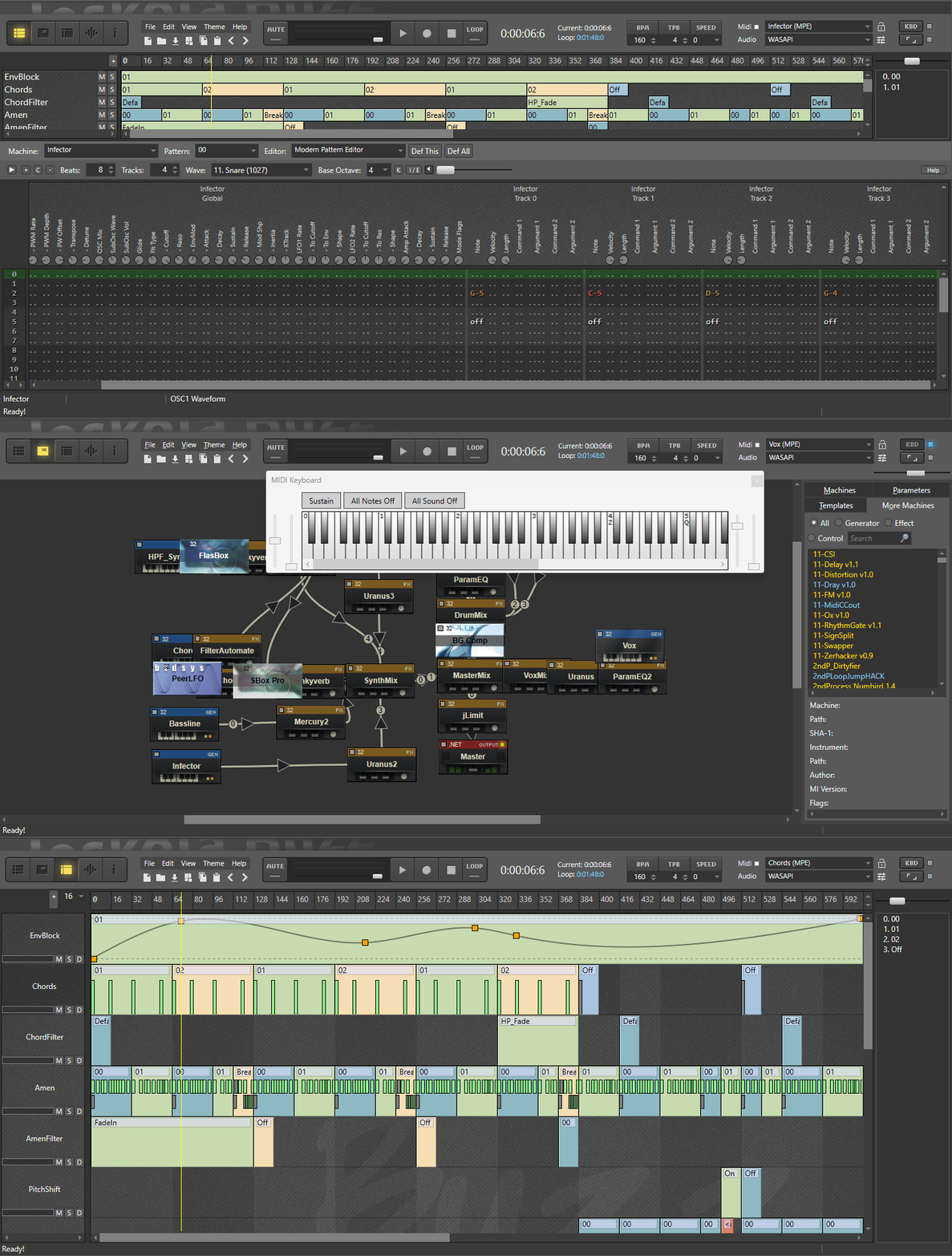
ReBuzz in Action
See different ReBuzz views and workflows in action.
Core features
ReBuzz aims to preserve the fast, modular workflow of Jeskola Buzz while embracing modern tooling and standards.
Audio & plugin support
- 32‑bit and 64‑bit VST2/3 support.
- 32‑bit and 64‑bit Buzz machine support.
-
Includes the
NWaves.NET DSP library for audio processing. - Multi‑I/O for native and managed machines, designed for complex modular setups.
-
bmxandbmxmlfile support for compatibility with Buzz projects.
Editing & workflow
- Modern Pattern Editor and Sequence Editor.
- AudioBlock, EnvelopeBlock, CMC, TrackScript and more.
- Machine View, Editor View, Sequencer View.
- Multi‑process architecture for improved stability.
Download & runtime requirements
The easiest way to try ReBuzz is to use the installer from the GitHub Releases page.
Get the latest preview
Head to the Releases page and download the most recent
ReBuzzSetup_*.exe:
Preview builds may contain bugs or breaking changes. Use at your own risk.
Runtime dependencies
- .NET 10.0 Desktop Runtime – Windows x64.
- Latest Microsoft Visual C++ Redistributable (x86 and x64).
- For MIDI 2.0 features on Windows 11, install the Microsoft MIDI Services tools as described in the release notes.
Build from source
If you want to hack on ReBuzz or build your own binaries, clone the repository and open the solution in Visual Studio 2022.
1. Clone the repository
ReBuzz uses submodules, so make sure you clone with
--recurse-submodules:
git clone --recurse-submodules https://github.com/wasteddesign/ReBuzz.git
cd ReBuzz
2. Open the solution
-
Open
ReBuzz/ReBuzz.slnin Visual Studio 2022 (Community is fine). -
Ensure the
ReBuzzproject is set as the startup project (bold in Solution Explorer). - Build the solution (Debug or Release, x64).
Output will be placed under something like:
bin/Debug/x64/net9.0-windows or
bin/Release/x64/net9.0-windows, depending on the
configuration.
Build layout notes
Intermediate files are kept under
build/ to avoid polluting the source tree. This is
configured via Directory.Build.props and custom
IntermediateOutputPath/OutputPath entries
in the project files.
Contributing
ReBuzz is open source and welcomes contributions—from bug reports and testing to new machines, UI improvements, and documentation.
Ways to help
- Report issues and crashes with clear reproduction steps.
- Test new preview builds and provide feedback.
- Contribute C# code, DSP modules, or editor improvements via pull requests.
- Improve documentation and examples for new users.
Start from the GitHub repo
All source code, issues, and releases live in the main repository:
github.com/wasteddesign/ReBuzz →
Check the README and existing issues before opening new ones to keep the tracker tidy.